Boys T-shirt Mock-up: A Smart Tool for Designers and Sellers
Creating and presenting boys' t-shirt designs doesn't have to involve expensive photo shoots or physical samples. A boys T-shirt mock-up offers a realistic, cost-effective way to showcase your designs before they're printed. Whether you're a small business owner launching a new collection or a freelance designer sharing concepts with a client, using a mock-up helps you visualize and communicate your ideas clearly.
What Exactly Is a Boys T-shirt Mock-up?
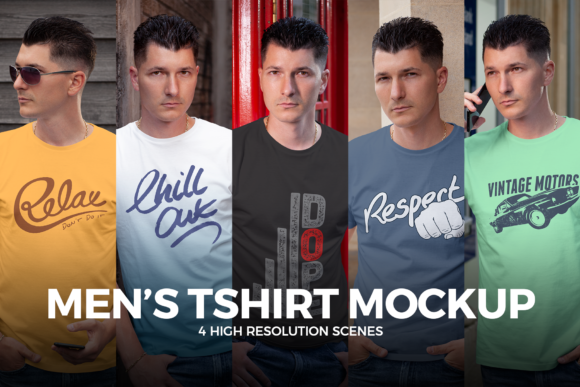
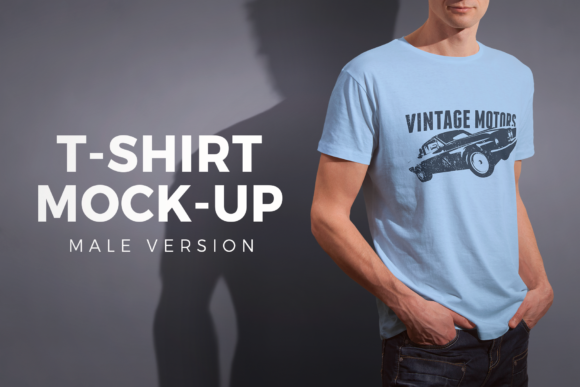
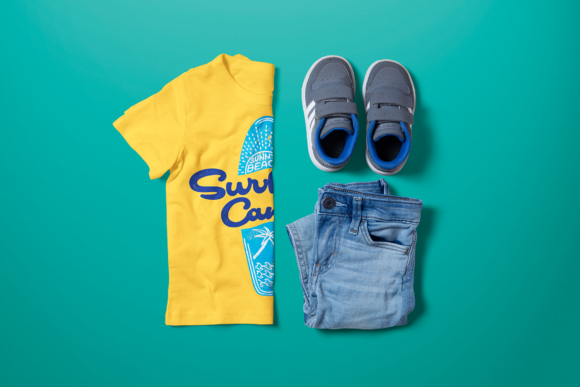
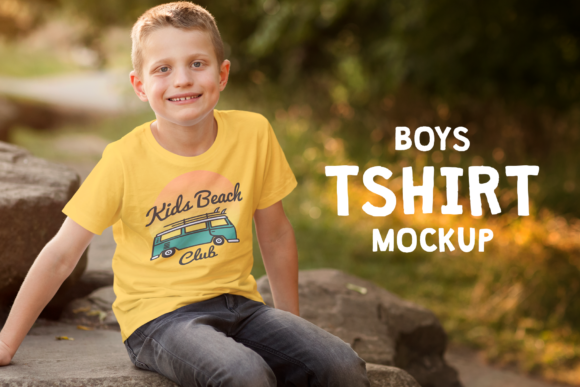
A boys T-shirt mock-up is a digital template that allows you to apply your design to a realistic image of a t-shirt. These mock-ups often come in layered Photoshop files with "smart objects" that let you easily insert your artwork and see how it looks in a real-world setting. You can find mock-ups featuring t-shirts on hangers, folded on tables, or worn by models—each offering different presentation options depending on your needs.
Common Mistakes When Choosing and Using Mock-ups
While mock-ups are powerful tools, they can be misused or misunderstood. Here are some of the most common pitfalls and how to avoid them:
1. Choosing Low-Resolution Mock-ups
Some designers download free or cheap mock-ups only to discover later that the resolution is too low for professional use. This can be a problem when presenting to clients or printing promotional materials like posters or catalogs.
Better approach: Always check the resolution before downloading or purchasing. Look for mock-ups with a resolution of at least 300 DPI for print use and 72 DPI for web display. High-resolution files ensure your designs look sharp and professional.
2. Ignoring the Fit and Style of the Mock-up
Not all boys' t-shirts are the same. Some mock-ups feature slim-fit styles, while others show classic cuts or hooded designs. Using a mock-up that doesn’t match your product can mislead customers or clients.
Better approach: Match the mock-up to the actual garment you're using. If your t-shirts have a specific collar style, sleeve length, or fabric texture, choose a mock-up that reflects those details accurately.
3. Overlooking File Compatibility
Many mock-ups are created in Adobe Photoshop, but not everyone has access to that software. Trying to edit a complex .PSD file without the right tools can lead to frustration and wasted time.
Better approach: Check what file formats are included. Some mock-up providers offer versions compatible with free or more accessible tools like Canva or GIMP. If you're not comfortable with Photoshop, look for user-friendly alternatives or consider hiring a designer to help with placement.
4. Using Generic Mock-ups for Targeted Audiences
Using a generic model or background can make your design look impersonal. For example, showing a boys' t-shirt on a mannequin or adult model might not resonate with parents shopping for children’s clothing.
Better approach: Choose mock-ups that reflect your target audience. A boys' T-shirt mock-up should ideally feature a child in a natural setting—playing, at school, or wearing other age-appropriate clothes. This helps buyers imagine the product in real-life use.
5. Forgetting About Lighting and Background
Lighting and background can dramatically affect how a design appears. A mock-up with harsh shadows or a distracting background can take attention away from your design.
Better approach: Pick mock-ups with clean, neutral backgrounds and natural lighting unless you're aiming for a specific mood or scene. This ensures your design remains the focal point and looks consistent across marketing materials.
How Mistakes Affect Results
Using the wrong mock-up or applying it incorrectly can lead to several issues:
- Lower client confidence: Poor-quality visuals may make clients question your professionalism.
- Design miscommunication: Misleading mock-ups can result in design changes late in the process, increasing costs and delays.
- Marketing inconsistencies: Inconsistent visuals across your website, social media, and print materials can confuse your audience.
What to Check Before Downloading or Buying a Boys T-shirt Mock-up
Before finalizing your mock-up choice, take a few minutes to review the following:
- File type and compatibility: Make sure the file works with your editing software.
- Customization options: Can you change the background, model, or shirt color?
- Resolution and scalability: Will it look good on a billboard or just a website?
- License type: Can you use it for commercial purposes or share it with clients?
- Realism and detail: Does the fabric texture, lighting, and fit look authentic?
Choosing the Right Source
There are many platforms offering boys T-shirt mock-ups, from free sites to premium marketplaces. While free options can be tempting, they often lack the quality, variety, and support of paid versions. Premium mock-ups usually come with detailed documentation, customer support, and multiple angles or scenes.
Tip: Read reviews and look at preview images closely. A mock-up that looks good in a thumbnail might not hold up when you zoom in or try to edit it.
Using Mock-ups in Your Workflow
Integrate mock-ups into your design and sales process to save time and improve communication:
- Send digital proofs to clients: Avoid printing samples for every revision.
- Update your online store quickly: Upload new designs without needing photoshoots.
- Create marketing materials: Use mock-ups in emails, social media posts, and print ads.
Remember, mock-ups are meant to support your creative work—not replace it. Spend time adjusting shadows, colors, and perspective to make your design blend naturally with the garment.
Final Thoughts
A well-chosen boys T-shirt mock-up is more than just a shortcut—it’s a valuable tool that improves efficiency, reduces costs, and enhances presentation. By avoiding common mistakes and selecting mock-ups that match your audience and design goals, you’ll create more convincing, professional results.
Take the time to evaluate your options, understand file types, and test your workflow before launching a full campaign. With the right approach, mock-ups can become a reliable part of your creative and business strategy.