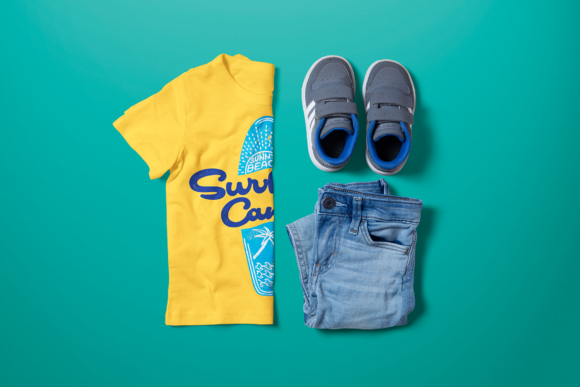
Boys Crew Neck T-Shirt Mock-Up Made Easy
Have you just finished a great-looking kids t-shirt design and want to see how it will look once printed? Or maybe you're launching a new fashion collection and want to show off your designs without the cost of physical samples? Whether you're a t-shirt printing business or an independent designer, the Boys Crew Neck T-shirt Mock-up is a smart, efficient way to showcase your work.
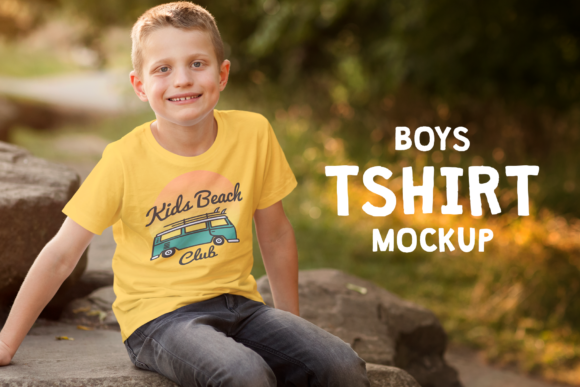
This mock-up is specifically designed for boys' t-shirts sized for children between 2 and 6 years old. It gives you a realistic preview of how your design will appear on a printed garment. No need to take photos or create physical samples — just upload your design into the mock-up and instantly see the result.
Why Use a T-Shirt Mock-Up?
Mock-ups save time, reduce costs, and help you present your ideas more professionally. Instead of arranging photo shoots or printing sample garments, you can create high-quality visuals digitally. This is especially useful when you need to share designs with clients, build product catalogs, or prepare marketing materials.
Because these mock-ups are created in high resolution, you can use them in a variety of formats — from emails and social media posts to printed brochures, posters, and even billboards. The flexibility makes them ideal for both digital and print use.
How Does a Boys Crew Neck T-Shirt Mock-Up Work?
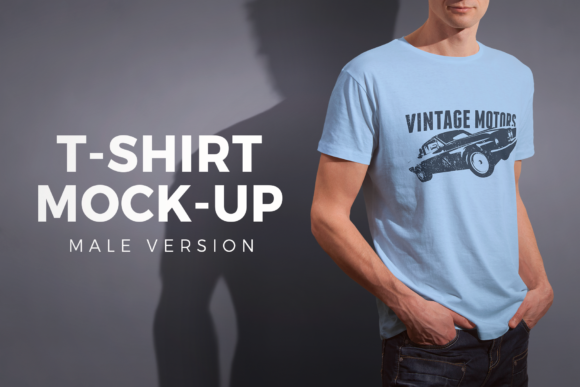
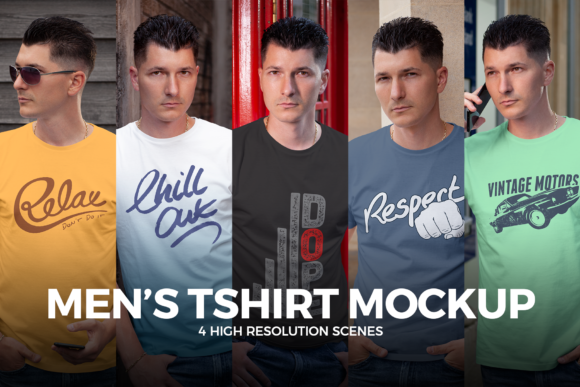
A t-shirt mock-up is essentially a blank template of a t-shirt, either as a photo or a 3D render, that you can customize using photo editing software like Adobe Photoshop. Most mock-ups use "smart objects" — layers that let you insert your design and see it wrap around the shirt realistically.
For example, if you’ve created a playful dinosaur print for a boys' t-shirt, you can place your artwork into the mock-up and instantly see how it looks on a child’s shirt. You can adjust colors, placement, and size without ever touching a sewing machine or printer.
Who Can Benefit From This Mock-Up?
- Small business owners who sell custom kids' apparel
- Graphic designers creating illustrations for children’s clothing
- Entrepreneurs launching their first fashion line for toddlers
- Bloggers and marketers promoting seasonal collections or themed designs
- Freelancers building a portfolio of wearable art
If you're designing for children, it's especially important to show how the design fits and flows on the garment. A realistic mock-up helps parents visualize how the final product will look on their child, which can boost confidence in your brand.
Real-World Uses for Boys Crew Neck T-Shirt Mock-Ups
- Send design previews to clients before printing
- Create product listings for online stores without physical samples
- Build lookbooks or catalogs for your clothing line
- Pitch ideas to manufacturers or investors
- Share on social media to promote new designs and engage your audience
Imagine you're launching a new summer collection for boys. You can create several mock-ups with different designs and share them on Instagram or Facebook to see which ones get the most likes and comments. That kind of feedback can guide your final production decisions.
Choosing the Right Mock-Up
When selecting a mock-up, make sure it matches the style and size of the garment you're designing. Since this one is for boys aged 2 to 6, it's ideal for toddler and preschool-age clothing. Look for mock-ups with high resolution, clear layer organization, and support for easy editing in Photoshop or similar tools.
Also, consider the background and setting. Some mock-ups show the shirt on a model, while others are isolated on a white background. Choose the one that best suits your use case — for example, model mock-ups work well for marketing, while plain backgrounds are better for product listings.
Getting Started with Your First Mock-Up
If you're new to using mock-ups, start with a simple design and follow a step-by-step tutorial. Most mock-up files come with instructions on how to replace the placeholder design with your own. Once you get the hang of it, you’ll be able to create professional visuals in minutes.
Here’s a quick example: say you’ve designed a superhero-themed shirt for 4-year-olds. Open the mock-up file in Photoshop, double-click the smart object layer, paste your design, save the changes, and close the layer. The design will automatically appear on the shirt in the mock-up. Then, you can export the image and use it in your marketing or send it to a client for approval.
Final Thoughts
The Boys Crew Neck T-shirt Mock-up is a powerful tool for anyone designing kids’ clothing. It helps you visualize your work, communicate your ideas clearly, and save time and money in the process. Whether you're a small business owner, a freelance designer, or a creative parent launching your own line, using mock-ups can make your workflow smoother and your results more professional.
So next time you finish a great design, don’t just imagine how it will look — use a mock-up and see it for yourself.